Updated August 2026: ZFS ARC using “all the RAM” is still expected behaviour. Cap ARC with zfs_arc_max (module param or /etc/modprobe.d/), watch arc_summary, and size for your workload instead of fighting ZFS with random sysctl myths.
If ZFS is eating your memory
Todays solution is: If ZFS is eating your memory. In a production usage of ZFS especially when using my native ZFS on Linux article one sympthom that could occur is you ran out of of memory in short time.
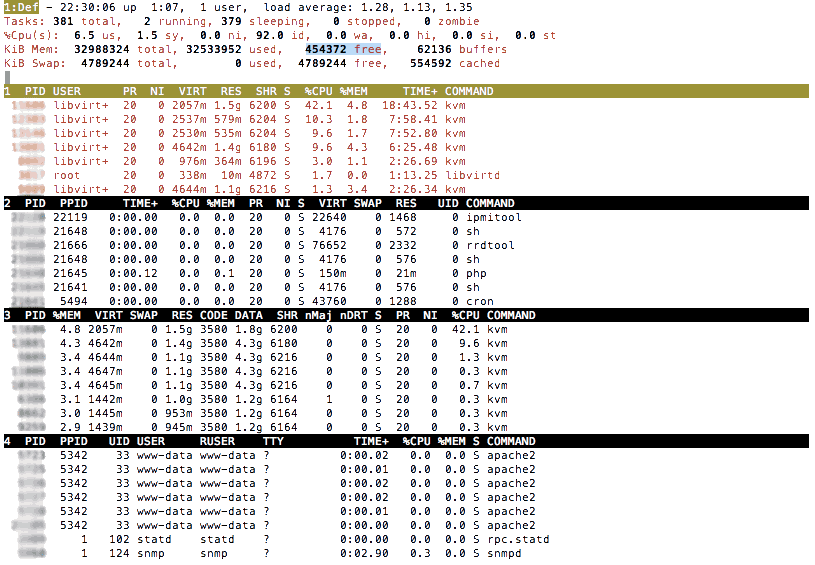
Since ZFS is originally designed to run stand alone on a server,
using its total memory (default arc max value is 80% of total mem) and we are need most of the memory for our KVM instances, we have to cap the memory usage a little bit.
So if you realize high I/O writes which is eating your memory,
you can solve this by capping the arc memory limit to a lower value on your host machine.
That is what we are going to do now!
Set zfs_arc_min and zfs_arc_max memory limit
Create a file in /etc/modprobe.d/zfs.conf and add and adjust the zfs_arc_min and zfs_arc_max mem parameters:
# Min 2048MB / Max 4096 MB Limit
options zfs zfs_arc_min=2147483648
options zfs zfs_arc_max=4294967296
Update Initramfs:
update-initramfs -u -k all
Then reboot your machine at that should do it.
If you also want that to instant apply without rebooting, just execute:
echo 4294967296 > /sys/module/zfs/parameters/zfs_arc_max
echo 2147483648 > /sys/module/zfs/parameters/zfs_arc_min
How can or can i run the command for a already mounted zfs container?
What do you exactly mean by run the command?
It’s not a command it’s an config option.